Hearth
A privacy-first consent system for smart home devices
View live prototype ↗See the code on GitHub ↗
- Type
- MA thesis · Smart homes · Data UX
- Timeframe
- 6 months, 2026
- Role
- Sole researcher and designer
- Toolkit
- React, Vercel, OpenRouter, Claude, VS Code
01
Is my washing machine listening to me?
My husband had set up Pi-hole at home, running on a Raspberry Pi. It’s a small tool that shows every request the devices on your network make. One day he noticed that our smart washing machine was sending data out every single minute.
He opened the screen and showed me what was being sent, and I couldn’t make sense of it. That was alarming. I’m a designer, I work around technology every day, and I still couldn’t tell what my own washing machine was saying about me. I could only imagine what that looks like for someone who doesn’t work in tech at all.
And it isn’t only the washing machine. The speaker, the TV, the thermostat, even the fridge is on the Wi-Fi now. People should know what data leaves their home, where it goes, how it’s used, and whether they agreed to it, at the moment it happens.
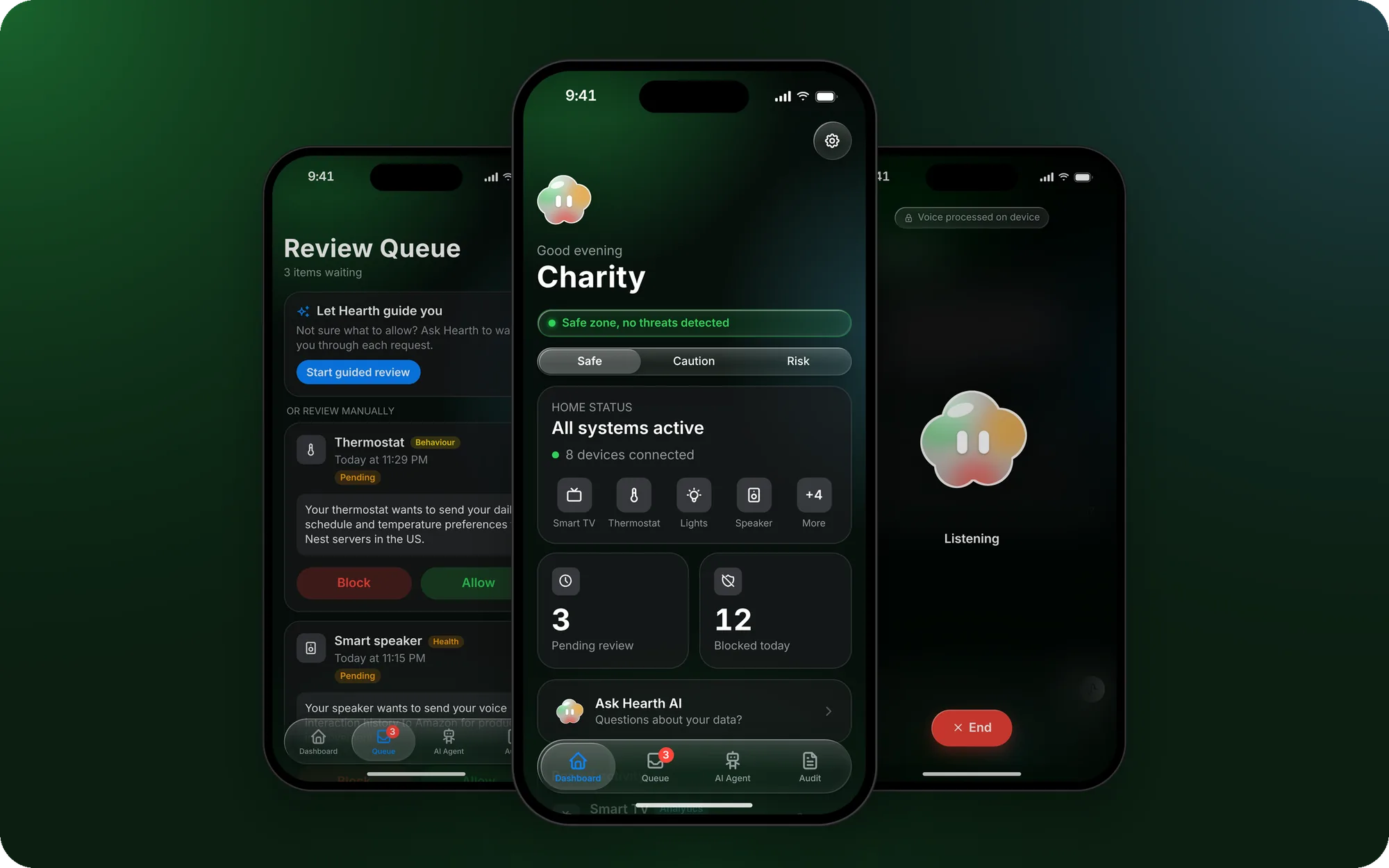
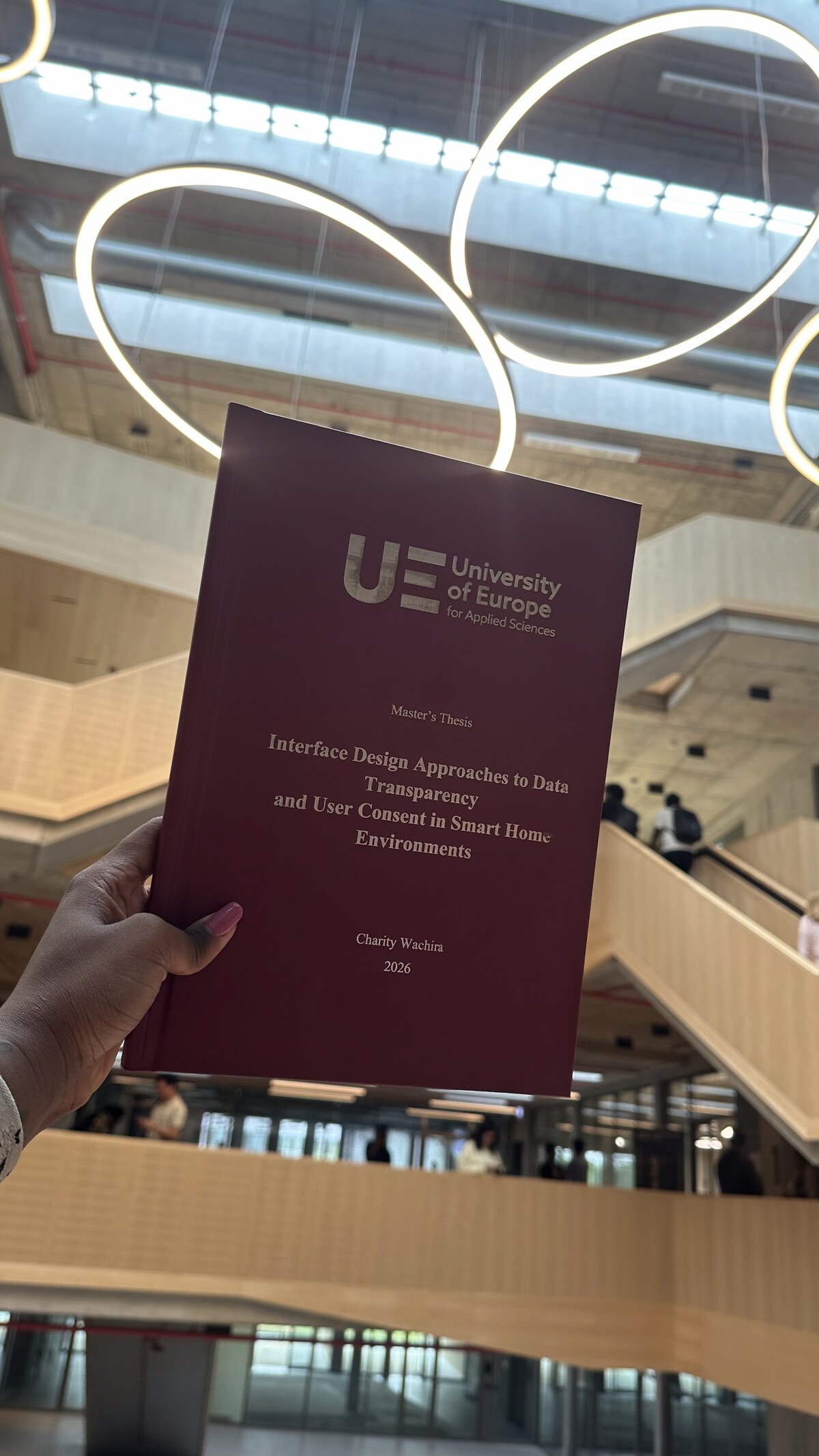
That question became my master’s thesis, and Hearth is my answer to it: a system that shows people what is actually happening in their home, in language they can understand, and lets them decide.
02
Consent is a checkbox, signed once
Smart homes generate constant streams of data about the people living in them, and almost none of it is visible to those people. Consent, where it exists at all, is a checkbox signed once at setup, in legal language, before any data was even flowing. That isn’t meaningful consent. It’s compliance theatre.
To understand why, I synthesised four academic studies. Five problems kept coming back:
- Invisible data collection. Devices record constantly, and there is no real-time way to know what they capture.
- Consent you give once. It is granted at setup, in legal language, and never meaningfully asked for again.
- A fragmented home. Every manufacturer has its own app and its own policy, so there is no single view of the home.
- Low data literacy. Even when data is visible, most people cannot read it, so they settle into resigned acceptance.
- No receipt. Data leaves the home and leaves no record the owner can check.
03
Accessible or transparent, never both
I compared five real products against those five problems: three consumer platforms people already live with, and two network tools that technical people use.
Apple HomeKit
Consumer platform
A privacy brand with no privacy interface. You are told your data is encrypted, but never shown what is collected.
Google Home
Consumer platform
The widest device support, but the privacy controls live in Google Account settings, not in the app people actually use.
Amazon Alexa
Consumer platform
Collects 28 of 32 possible data points, opt-out by default. In 2025 Amazon removed the option to block voice recordings.
Firewalla
Network tool
Real-time monitoring of every device, but it shows raw domains and IP addresses that a non-technical person can’t interpret.
Pi-hole
Network tool
The most complete audit trail of the five, and the tool that started this for me. It needs a Raspberry Pi and the command line.
Consumer platforms are accessible but opaque. Network tools are transparent but need technical skill. No product is both. That empty middle became Hearth’s brief.
04
Meet Hearth
Hearth has three parts. Each takes a capability that already works in one of those products and redesigns it for someone with no technical background.
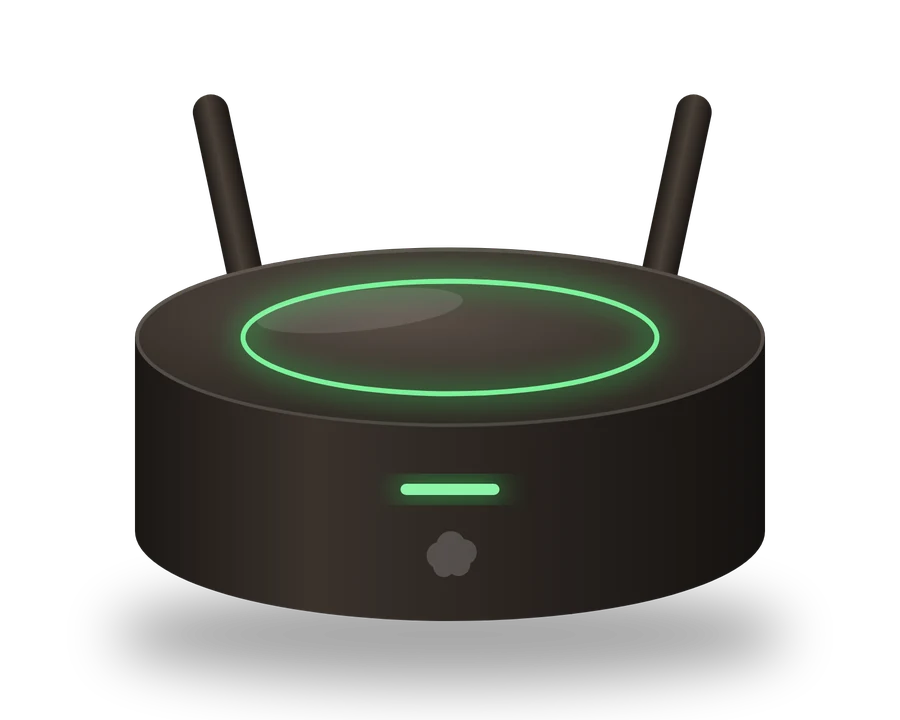
Physical hub
Sees everything, keeps it at home
Sits between the router and every device, whatever the brand, so it sees all traffic. Everything is stored locally. No cloud, no subscription.
Concept render. The hub exists in the design, not yet as hardware.
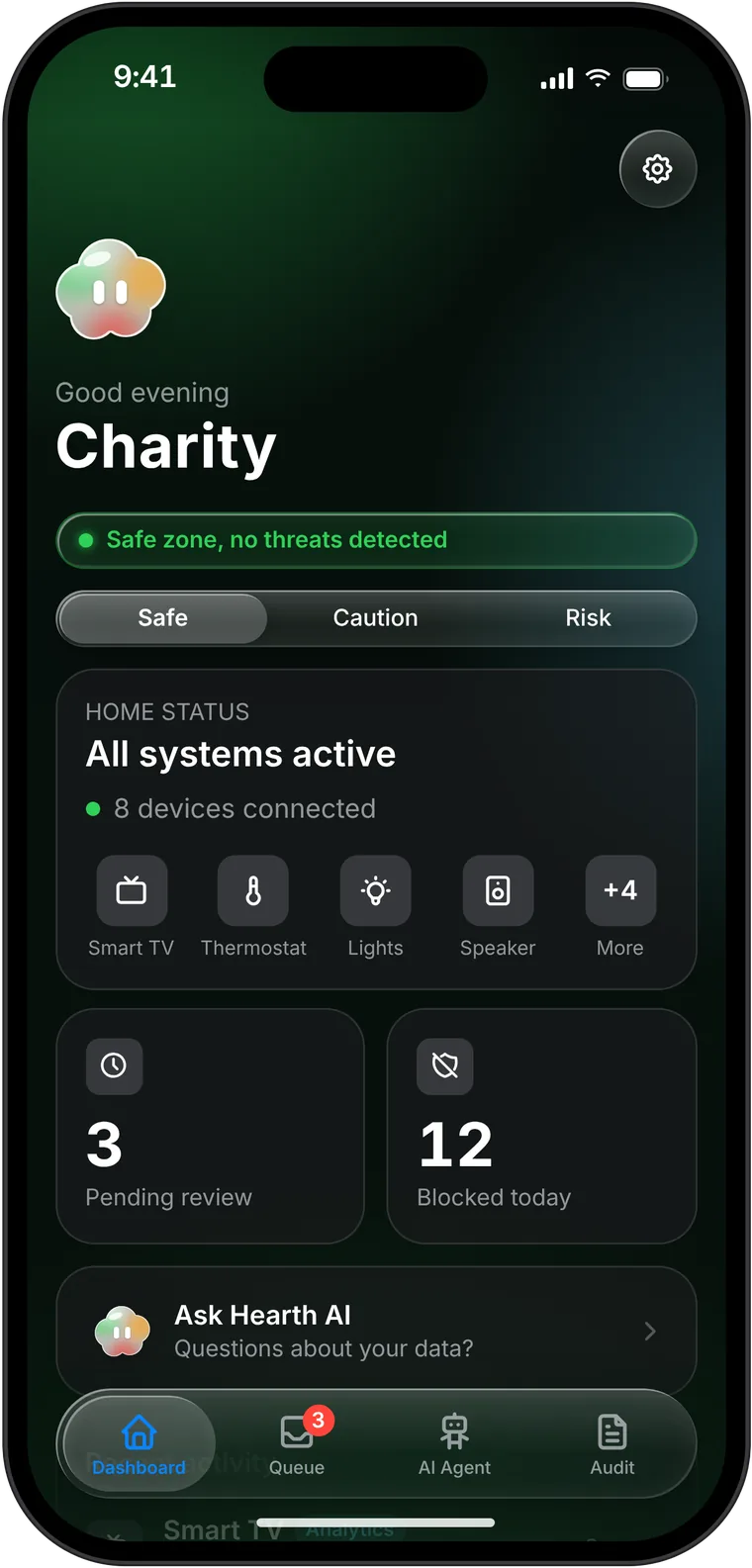
Mobile app
Makes the data visible
Shows what is happening and lets you control it, designed like a consumer product rather than a network dashboard.
AI agent
Explains, then hands it back
Translates raw network activity into plain language. It explains the trade-off honestly and hands the decision back. It never decides for you.
Principles
Four rules behind every decision
- Frictionless by default. Any extra effort is a design failure.
- Explain before you act. No consent prompt without context first.
- No compromise between safety and privacy. Never make someone choose between them.
- The house belongs to whoever lives in it. The data is theirs. No subscription, nothing shared without consent.
Structure
Tiered consent
Safety-critical data, from smoke detectors, security cameras and medical monitors, passes straight through and is logged for later. Everything else waits at the hub for a plain-language decision before it leaves the home. Nobody gets stuck choosing between their safety and their privacy.
Safety-critical · smoke, cameras, medical
- Device sends data
- Passes through
- Logged for review
Everything else · behaviour, analytics, third parties
- Device sends data
- Held at the hub
- You decide, in plain language
- Allowed or blocked, and logged
05
Encounter, understand, decide, verify
The prototype is live, and you can walk the whole loop: see that something is happening, understand it, decide, then check what your decision did. No product in my comparison completes that loop. Each one is missing at least one link.
Walkthrough 1 · Encounter
Is my home safe?
The dashboard answers that in one glance. Six possible risk levels collapse into three: Safe, Caution and Risk. When something needs attention, the devices involved and the fix sit right there.
SafeOne glance answers “is my home safe?”
CautionDevices sending more than expected, with a way to limit them.
RiskSomething may be compromised. Act right from the dashboard.
Walkthrough 2 · Understand and decide
Consent becomes a decision, not a document
Every request says who wants what, and why, in one sentence. Block and Allow carry equal weight. Anyone unsure can let Hearth guide them, or ask the AI agent.
1. Review queueWho wants what, and why, in one sentence. Then Block or Allow.
2. Guided reviewThree questions before you decide, for anyone unsure.
3. Ask Hearth AIAsk anything about your home’s data, in plain language.
Walkthrough 3 · Set the rules
Decisions become policy
Five data categories, each with three rules: always ask, auto-approve or always block.
Early on, everything asks. As you turn your judgement calls into rules, the review queue shrinks. Hearth gets quieter as trust builds, which is my answer to consent fatigue.
Walkthrough 4 · Verify
The receipt smart home data never had
Every transmission reads like a sentence: device, category, what happened, when, and the outcome. Blocked entries add one more line.
1. Audit trailEvery transmission reads like a sentence.
2. What was protectedBlocked entries also show what was kept safe.
06
Design decisions
Status
Three zones instead of six levels
Six risk levels are precise, but nobody remembers them. Three, in green, amber and red, can be learned in one sitting, and every screen uses the same colours.
Choices
Two equal choices, and deferring is earned
Block and Allow look the same, so the interface never pushes you. There is no “decide later” on the default path, because putting it off shouldn’t be easier than deciding. Guided Review earns the option to defer only after walking you through what is shared, who receives it and what changes if you block.
Audit
Log what didn’t happen, too
Every blocked entry has a “what was protected” field. It turns a blocked transmission from an absence into something you can see you did.
AI
The agent explains, you decide
The AI states the trade-off honestly, including the upside of allowing, and hands the decision back. It never decides for you. The moment it did, Hearth would recreate the exact problem it was built to solve.
07
Refining it in 2026
After the thesis I kept going. These refinements sit on top of the thesis project: they make Hearth feel like a real phone app, and give the AI a face.
Design system
Built on Apple’s design system
I moved the whole app onto Apple’s Human Interface Guidelines: Apple’s type scale, an 8-point spacing grid, 44-point tap targets and native iOS controls. Liquid Glass sits only on the navigation and controls that float above the content, the way Apple uses it, so the content itself stays easy to read.
Background
The colour carries meaning
The first version used a photo that looked a lot like Apple Home. I replaced it with an ambient colour field that reflects the home’s privacy state: calm green when it’s safe, amber for caution, red for risk, fading from one to the next. The background is no longer decoration. It is the status, readable at a glance.
Safe
Caution
Risk
Voice
Talk to Hearth, without your voice leaving the phone
Like Claude and other AI apps, Hearth now has a mic for dictation and a voice mode you can talk to. For a product that promises nothing leaves your home without your knowledge, the voice had to stay on the device. Your speech is turned into text on the phone, replies are read out with the phone’s own voices, and only the text goes to the AI, just like typing. The first time you tap the mic, Hearth says where your voice goes before it records anything.
Ask firstBefore the mic records anything, Hearth says where your voice goes.
Voice modeTalk to Hearth. The cloud listens, thinks and answers out loud.
Character
A face people can trust
I gave the agent a character: a small glass cloud. My first cloud was orange, but orange already means pending in Hearth. So the cloud became glass, with green, orange and red moving inside it like blood in a body. It holds every state of the home without looking like any one of them. It sits above the greeting on the dashboard, glancing around as if it’s checking on the home. In voice mode it listens, thinks and talks back. A face makes an honest trade-off easier to hear.
08
How I built it
I did the research and the design, and built the prototype with AI as my build partner. Hearth wasn’t designed in Figma and handed over. I shaped it in code, screen by screen, as a React app on Vercel, so every design decision was tried in a working product.
- ResearchA synthesis of four academic studies, and a comparison of five real products against the five problems they surfaced.
- Early explorationChatGPT, right at the start, to explore first UI directions.
- Building with AIClaude as my build partner, with the code in VS Code, and Claude Skills that carry my design system so new screens stay consistent.
- The agentHearth AI runs through OpenRouter, called from a server function so no key ever reaches the browser.
- VoiceSpeech to text runs in the browser with a small Whisper model, and replies use the device’s own voices.
09
What I still need to prove
Being direct about scope matters here. The hub is fully specified in the design but doesn’t exist as hardware yet. The prototype runs on realistic but simulated network data, not live traffic. The app itself is real and deployed, and the AI agent is a live integration, but it explains the app’s data, not live events.
None of it has been tested with non-technical users yet. That is the next step. This thesis proves the interface layer can be designed. Whether the hub holds up on a real network is the next stage of work.
Reflection
What surprised me
How much tone did the work of argument. The warm, domestic feel, closer to Calm or Headspace than to a security dashboard, wasn’t decoration. It was my answer to what protecting someone’s privacy should feel like.
A consistent three-colour system can teach the product’s logic without a single line of instructions. And the part I’m proudest of is the smallest one: logging what didn’t happen, not just what did. It turns an audit log into a record of someone’s own choices.
“No data leaves your home without your knowledge and consent.”
Try the live prototype →