Generous Circle · Publishing a fundraiser
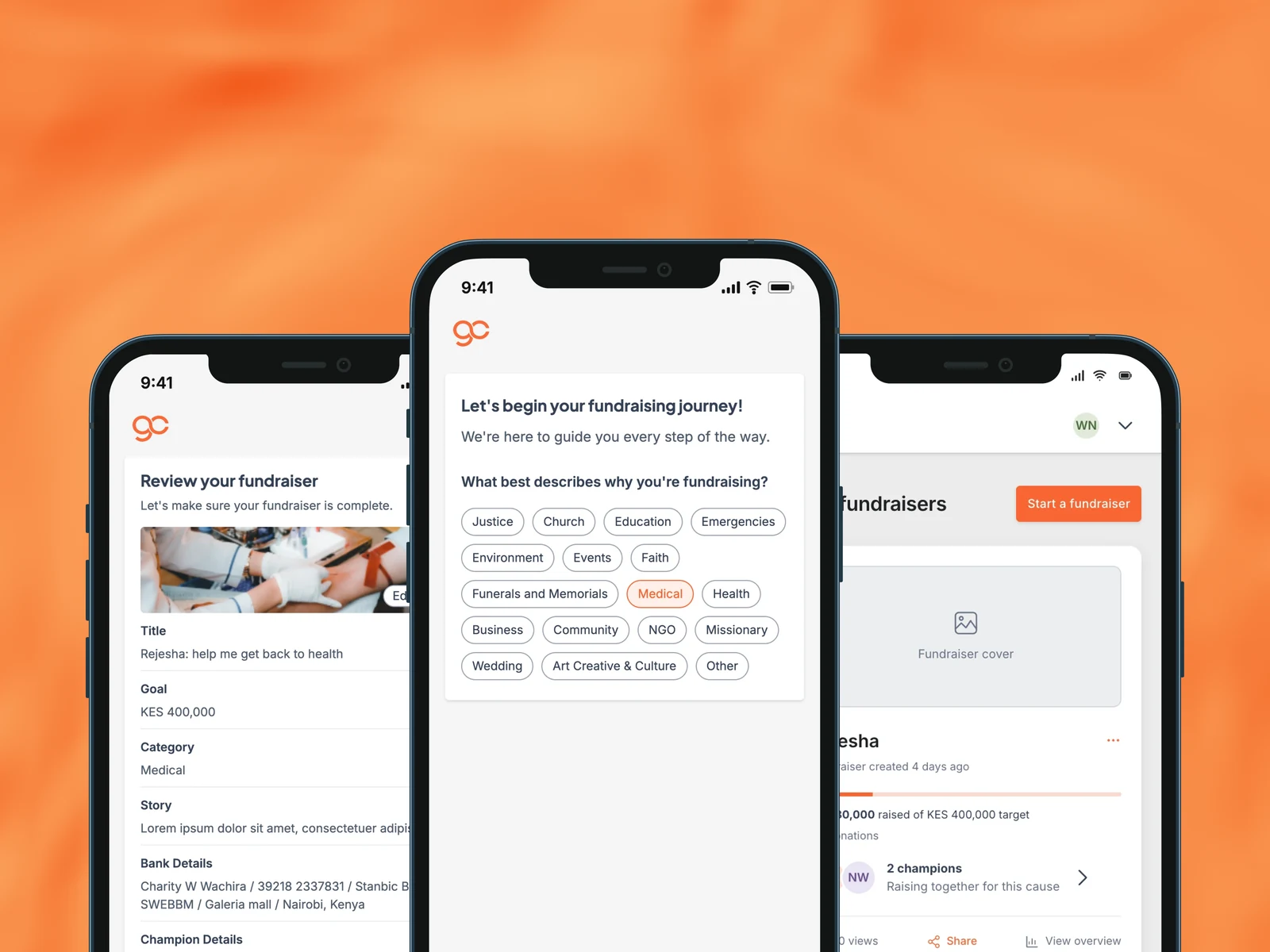
From a cause to a fundraiser
As the founding designer, I designed how people turn a cause into a live fundraiser on Generous Circle. One journey brings the category, goal, story, cover, payment details and champions together, and it bends to fit whoever is raising the money.
- Founding designer
- User journeys
- UI design
- Design system
- Product
- Generous Circle, a crowdfunding platform
- My role
- Founding designer
- Timeframe
- 2024–2025
- Platforms
- Mobile first, and web
- Market
- Kenya
01
Introduction
Once someone has an account on Generous Circle, the next thing they do is set up a fundraiser. I owned that journey end to end: the steps, the order, the copy and the screens.
The catch is that people raise money for different reasons. Some raise for themselves. Some raise for another person. Some raise for an organisation. A good flow had to serve all three without turning into three separate products, and without asking anyone for details that did not apply to them.
Most people would do this on a phone, so I designed it mobile first, with the same journey available on a larger screen.
02
One journey, three starts
Everyone lands on the same question, then the flow branches by who the money is for. After the branch, the path rejoins and the rest is shared.
Everyone
- Who are you raising for
- Category
- Goal
- Story
- Cover
- Bank
- Review
Yourself
- Your own bank details
- Publish
An individual
- Beneficiary information
- Their verification
- Publish
An organisation
- Search or add the organisation
- Organisation details
- Publish
03
Design decisions
Structure
One shared spine, branch only where it matters
Category, goal, story, cover, bank and review are the same for everyone. Keeping them shared meant one flow to design and learn, and the branches stay small: a beneficiary step for an individual, an organisation step for an organisation.
Trust
The beneficiary agrees before you raise for them
When you raise for another person, they receive a code to confirm. It keeps people from being fundraised for without their say, which matters when real money is involved.
Mobile
Built for the phone in someone's hand
One task per screen, a saved draft between steps, and a review that lays everything out with an edit beside each part before anything goes live.
04
The flow
Walkthrough · Raising for yourself
The shared spine, start to finish
This is the journey everyone follows. The other two paths add to it rather than replace it.
1. Who are you raising forThe first choice decides whose details we collect and who receives the money.
2. CategoryA category gives the cause its context, from medical to education to community.
3. Starting goalA starting target, with a gentle hint from similar fundraisers, and freedom to change it later.
4. Title and storyWriting prompts help people say who they are, why it matters, and how the funds will be used.
5. Cover photo or videoA clear cover image, or a video, helps donors connect straight away.
6. Bank detailsWhere the money lands. It is set once, so the screen says so up front.
7. Nominate championsOptional helpers who raise into the same fundraiser.
8. ReviewEverything in one place, with an edit beside each section, before it goes live.
Difference · Raising for an individual
Add a beneficiary, verified by them
Two extra screens over the shared spine. The beneficiary step sits after the cover and before bank.
1. An individual or an organisationChoosing Someone else opens a second choice, and each option lists what it needs.
2. Beneficiary informationFor an individual, the beneficiary confirms by a code, so they agree before funds are raised for them.
Difference · Raising for an organisation
Find the organisation, or add a new one
The organisation path starts with a search. A listed organisation becomes a championed cause; a new one is added here, then joins the shared spine.
1. Is the organisation listed?Search first. A listed organisation is championed; one that is new is added here.
2. Organisation detailsA new organisation gives its name, email, website and the organiser's role.
After publishing
Managing it on the web
Once live, the fundraiser shows its progress, donations and reach, with the controls to edit or close it.
Recreated for this case study. The original Figma file was lost when its owner's account was closed.
05
How I led it
As the founding designer, I owned this journey from the first flow to the final screens: the steps, the order, the copy and the UI. A shared design system sat underneath it, so engineering could build every screen from the same parts.
Handoff and adoption
Shipping it, then seeing it used
My work did not stop when the screens were done. I handed the flow to engineering, stayed close through the build, checked it against the designs, and tested it before it went out. Then I watched it work in the real world. I set up two live fundraisers myself, one for an individual and one for an organisation, so I could see the flow the way our users would.