Beyonic, an Onafriq product · KYC and KYB redesign
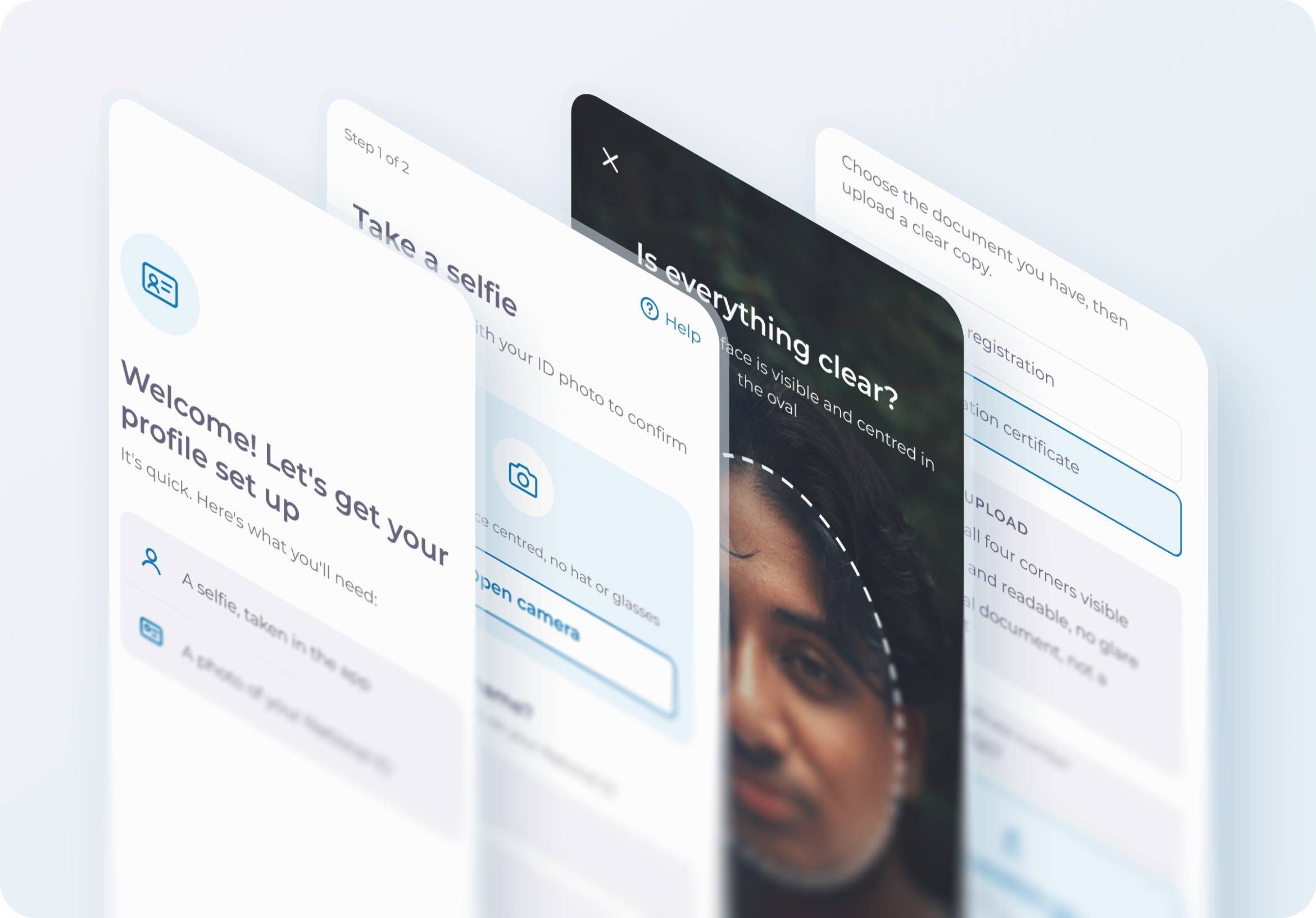
Getting people verified without their physical ID
I led the redesign of Beyonic's verification flow, working with risk and compliance, engineering, customer care and sales to find out why people in Uganda were dropping off, and to get them verified without the physical card in their hand.
- Product
- Beyonic, Onafriq's payments platform
- My role
- Product designer
- Timeframe
- 2023–2024
- Platforms
- Web, tablet and mobile
- Market
- Uganda
38%fewer fraud threats
150+accounts approved every day
01
Introduction
When I joined Onafriq, the team was focused on growth. Beyonic already had a strong base of users in Uganda, and the plan was to grow it further there, then stretch out into other East African markets like the DRC.
Beyonic was much more than a way to send money. For a business, it was the back office behind the till: somewhere to receive payments, manage funds, pay bills, and pay workers and employees. It served both businesses (B2B) and individuals (B2C).
That kind of work doesn't only happen on a phone. A shop owner running payroll or checking the day's payments is often at a laptop or a tablet, so Beyonic had to work on all three.
That plan came with a catch. Before anyone can use the platform at all, they have to get verified while creating their account. People enter their personal information and prove who they are (KYC, Know Your Customer), and businesses prove they are real businesses (KYB, Know Your Business). Every country does this differently, with its own documents, its own rules and its own bureaucracy.
So we started where our numbers were strongest: Uganda. If verification worked there, we would have a pattern to take into the next market. The problem was, it wasn't working there. Plenty of people started onboarding. Far fewer finished it.
02
Objectives
- Grow active accounts by getting more people through verification.
- Cut fraud, not just hold it steady.
- Stay within the KYC and KYB rules that Beyonic had to meet.
- Let honest users verify without friction, even without their ID on hand.
03
The original flow
Verification was broken in three places: for people verifying themselves (KYC), for businesses (KYB), and for anyone trying to sign up on a computer.
KYC · on the phone
The first steps, entering a phone number and the code we sent, stayed the same in the redesign. The part that changed starts after that: people added a photo of themselves and their name, read how to photograph their ID, then had to take a live photo of the physical card, front and back, before reaching “Documents under review”. It assumed everyone had the card with them.
1Photo and name
2ID photo instructions
3Live photo of the ID
4Documents under review
Recreated for this case study. The original design files stayed with Beyonic.
KYB · on the phone
Businesses were asked for their details and documents, but nothing told them what a usable document looked like. They only found out when an upload was rejected.
1Get verified
2Business details
3Document upload
Sign-up · on a computer
Beyonic was used on laptops every day, but there was no way to sign up on one. The live ID camera only worked on a phone, and nothing in the flow helped people move across. On a computer, sign-up simply broke.
On a computer
- Open Beyonic on a laptop
- Start signing up
- Live ID camera needs a phone
- Stuck, no way to continue ?
04
Finding where it broke
I didn't start with a solution. I started with a question: why are people dropping off during verification?
Detect
FullStory showed a clear pattern. Lots of people started verification, and far fewer finished it.
Locate
Session recordings narrowed it down to two stuck points: the ID step in KYC, and the document upload in KYB.
Explain
The data told us where, not why. For that I went to customer care tickets and to the sales team, who spoke to users every day. Their answers lined up.
05
What we learned
Key insight · KYC
Many Ugandans don't carry their national ID
Getting a national ID from the government takes a long time, so people keep it safe at home rather than risk losing it. The old flow asked for a live photo of the physical card, so many people stopped right there.
Key insight · KYB
Businesses didn't know what a good document looked like
Uploads were being rejected, and nothing in the flow told businesses what we needed until after the rejection. By then, many had already given up.
Key insight · Devices
Verification assumed everyone was on a phone
Beyonic was built for laptops too, but the live ID camera only worked on a phone, and there was no way to finish signing up on a computer. People got stuck, and it was raised as an issue.
How might we verify identity without the physical card, on whatever device people are using, and help businesses upload the right documents the first time?
06
Ideation and concept
Three broken parts needed three fixes, all working as one flow.
KYC
Verify the face, not the card
My proposal was to flip what we were checking. Instead of asking people to prove they had the card in their hand, we would ask them to prove they were the person on it: a live selfie, matched against a photo of their ID.
Before
- Profile set up
- Live photo of ID card
- No ID on hand, user leaves
After
- Live selfie
- Upload a photo of the ID
- Face match
- Verified
KYB
Show what good looks like before the upload
Instead of rejecting documents after the fact, the flow tells businesses what we need up front: which documents count, and what a usable copy looks like.
Before
- Upload a document
- Rejected
- Guess and try again
After
- See the checklist
- Choose the document
- Upload
- Accepted
Web
Start on the laptop, finish on the phone
The selfie needs a phone camera, so rather than a dead end, the laptop hands over to the phone with a QR code. Progress is saved, and once the phone is done, the laptop moves on by itself.
Before
- Sign up on a laptop
- Camera step
- Dead end
After
- Start on the laptop
- Scan the QR code
- Finish on the phone
- Laptop shows Submitted
07
Build or buy?
With the idea agreed, the next question was how to actually deliver it. Face matching isn't something you design on Monday and ship on Friday.
Buy a vendor
Cheaper and faster to start, but costs grow with every verification as the customer base grows, and the experience is out of our control.
Build in-house
Full control and better cost at scale, but it takes engineering time to build and QA time to test.
My part was UX input: how each provider's flow would feel to the people going through it.
We landed on a hybrid: a third-party face-match API running behind our own flow and UI. The vendor handled the matching, and we kept control of the experience. Alongside it, KYB got guidance before upload, so businesses knew what a good document looked like before they sent one.
08
The redesigned flow
Walkthrough 1 · KYC on the phone
Verify with a selfie, no card needed
Part 1 captures the selfie. Part 2 confirms the details and adds a saved photo of the ID.
Part 1 · The selfie
1. WelcomeSets expectations up front: a selfie and a photo of the ID.
2. Take a selfieThe selfie comes first, and the screen says why.
3. Allow cameraAsks for the camera and explains exactly what it's for.
4. Selfie cameraA face guide oval and one clear instruction.
Part 2 · Confirm and submit
5. Check your selfieA quick check before it's used, with an easy retake.
6. Confirm your nameName exactly as on the ID. Progress is saved as you go.
7. National IDA saved photo of the ID works. The card can stay at home.
8. SubmittedConfirms everything was received.
Help and error states
Side paths, not main steps: tips before the camera opens, and a way out if the browser blocks the camera.
Selfie tipsAnswers the common questions before the camera opens.
Camera blockedIf the browser blocks the camera, three steps to fix it.
Walkthrough 2 · KYB on the phone
Get the documents right the first time
Businesses see what they need before they start, and a checklist right where they upload.
1. Verify your businessBenefits first, then exactly which documents to have ready.
2. Business detailsThe basics, in the same input style as the rest of the flow.
3. Business documentsA checklist before upload, so documents are right the first time.
4. SubmittedSays what happens next while the documents are reviewed.
Walkthrough 3 · From web to mobile
Start on the laptop, finish on the phone
On a computer, the flow no longer breaks. It hands over to the phone for the camera steps, then picks up again on the laptop.
1Welcome on the laptop
2Scan to continue
3 · On the phone
Take a selfie
Selfie camera
National ID
4Back on the laptop
09
Outcomes and impact
Verification stopped being the place people gave up. By checking the face instead of the card, we made onboarding easier and fraud harder at the same time, the very trade-off we started with.
38%fewer fraud threats
150+accounts approved every day
Tracked by the risk and operations team after launch.
Key outcomes
- 38% fewer fraud threats, because a live face matched to an ID is harder to fake than a photo of a card.
- 150+ accounts approved every day, as more people made it through verification.
- No physical ID needed. A saved photo of the ID was enough, so people could verify wherever they were.
- Clearer KYB uploads. Businesses saw what a good document looks like before uploading, instead of finding out after a rejection.
- Sign-up works on a computer. Instead of a dead end, the laptop hands over to the phone for the camera steps.
- Control stayed with Beyonic. The hybrid setup let a specialist handle face matching while we kept the experience in our own hands.